Table of Contents
ToggleHow to Create a Basic Ergonomic Home Office Setup for Under $500
Introduction: Your Comfortable & Affordable Home Office Awaits
The Remote Work Reality
Working from home is here to stay, but most home setups weren’t designed for eight-hour workdays. Kitchen chairs, couches, or cramped desks often lead to aches and fatigue. This post shows you how to build a fully ergonomic home office setup under $500, boosting both comfort and productivity.
The Cost of Discomfort
Neck and back pain, wrist strain, and eye fatigue are common in poorly designed home setups. But good ergonomics doesn’t require a fortune—it just takes smart, prioritized purchases.
💬 According to the NIOSH “Working from Home” guide, a properly optimized telework environment can help prevent neck and back pain by controlling workspace posture, lighting, and equipment.
The $500 Challenge
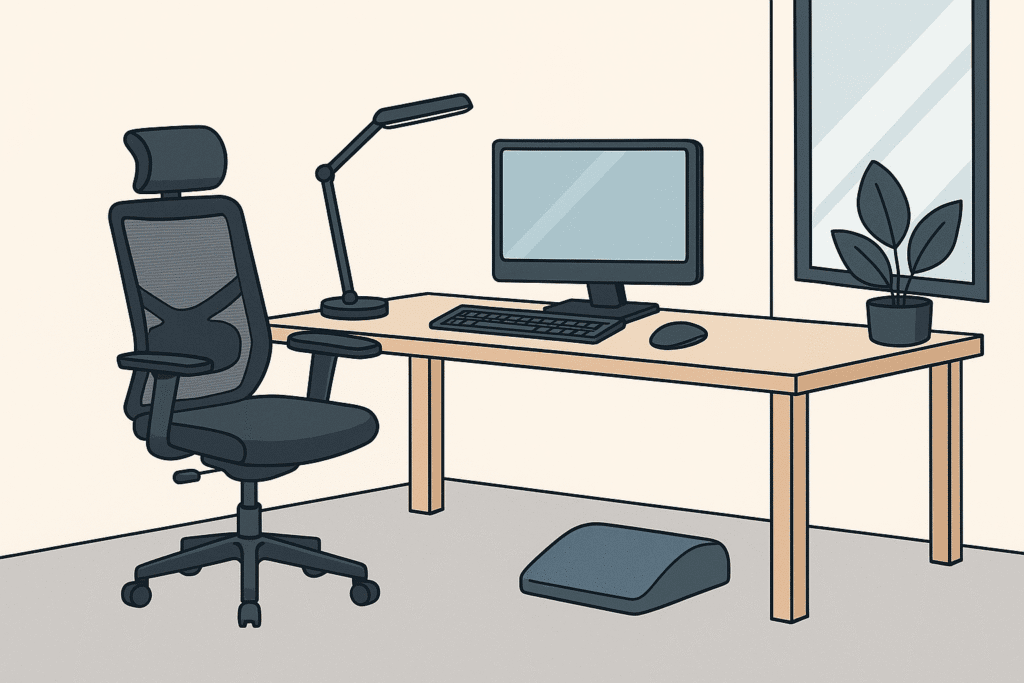
This guide focuses on the six most important ergonomic categories to address, ranked by impact:
Chair (Highest Priority)
Desk or Standing Converter
Keyboard & Mouse
Lighting
Monitor Stand
Footrest (Optional)
Let’s dive in and make every dollar count.
Step 1: Choose an Ergonomic Office Chair ($150–$300)
Why It Matters
Your chair affects posture, comfort, and even circulation. It’s the foundation of any ergonomic home office setup.
Key Features to Look For
Adjustable seat height
Adjustable armrests
Lumbar support
Tilt/recline lock
Mesh back or padded fabric seat
Top Budget Picks (Reviewed by Buyers and Experts)
Staples Hyken Mesh Task Chair (~$170)
⭐ 4.5/5 | 12,275+ Reviews
Breathable mesh design and integrated headrest. Users under 5’10” report excellent fit. Known for comfort and great value, though some note moderate build quality.Clatina Mellet Ergonomic Chair (~$220)
⭐ 4.1/5 | 2,938+ Reviews
A best-in-class budget pick for adjustability, including seat depth and 3D armrests. Buyers often compare it favorably to higher-end chairs like Steelcase. Some report firm lumbar support.SIHOO M18 Ergonomic Chair (~$180)
⭐ 4.3/5 | 6,000+ Reviews
Well-rated for lumbar support and sleek looks. A popular YouTube favorite for starter ergonomic setups. Reviewers like the breathable mesh and flexible armrest design.Ticova Ergonomic Office Chair (~$200)
⭐ 4.4/5 | 7,800+ Reviews
Praised for back support, especially lumbar and headrest. Buyers say it relieves chronic pain better than expected at this price point. Some mention a bit of assembly effort.Union & Scale FlexFit Dexley Chair (~$300)
⭐ 4.6/5 | 1,200+ Reviews
A premium-tier budget option. Reviewers rave about recline lock, lumbar depth, and overall adjustability. Strong fit for users seeking long-term comfort and multiple adjustment zones.
💡 Tip: A good chair is the single best investment in your ergonomic home office setup.
Step 2: Choose a Desk or Converter ($80–$150)
Why It Matters
A stable, properly sized desk supports good posture and makes room for accessories like a monitor stand and keyboard.
Top Picks
SHW Mission Home Office Desk (~$80)
⭐ 4.6/5 | 27,857+ Reviews
A 48-inch wide desk with steel legs and good depth for monitor distance. Reviewers highlight its stability and unbeatable price. A smart base if you don’t need sit-stand capability.VIVO Standing Desk Converter (~$120)
⭐ 4.6/5 | 12,000+ Reviews
Well-built riser that converts your current desk to sit-stand. Popular among users looking for affordable flexibility. Some note it’s heavy but worth the stability.ErGear Electric Standing Desk (~$110)
⭐ 4.5/5 | 7,440+ Reviews
One of the few electric sit-stand desks under $150. Reviewers praise the smooth motor, memory presets, and sturdiness. Commonly cited as unbeatable at this price.
💡 Tip: Already have a desk? A converter is a great entry into standing ergonomics.
Step 3: Pick a Keyboard & Mouse Combo ($50–$75)
Why It Matters
Input devices influence wrist comfort, typing speed, and long-term hand health.
Key Features to Look For
Split or contoured keyboard shape
Integrated wrist rests
Vertical or ergonomic mouse design
Wireless convenience (optional)
Top Budget Picks (Reviewed by Buyers and Experts)
Logitech MK550 Wireless Wave Combo (~$60)
⭐ 4.5/5 | 1,105+ Reviews
Contoured wave keyboard with integrated palm rest. Buyers love its comfort and long battery life. A great all-in-one ergonomic starter combo.Anker 2.4G Wireless Vertical Mouse + Logitech K120 Keyboard (~$26 + $12)
⭐ 4.2/5 | 51,350+ Reviews (Mouse)
Split-purchase combo prioritizing a highly rated vertical mouse. Reviewers say it helps reduce wrist strain. Great for users with repetitive strain injuries.Perixx Periduo-505 Wired Combo (~$55)
⭐ 4.2/5 | 287+ Reviews
Split ergonomic keyboard paired with a vertical mouse. Well-liked for its price-to-feature ratio. Some users report a brief adjustment period.
💡 Tip: If you’re on the computer for hours, your wrists deserve some love.
Step 4: Add Proper Task Lighting ($20–$50)
Why It Matters
Poor lighting leads to eye strain, headaches, and fatigue. A good desk lamp helps reduce visual stress during long work sessions.
Key Features to Look For
Adjustable brightness (dimmable)
Adjustable color temperature (CCT)
Flexible neck or arm for precise positioning
USB-powered or low energy LED
Top Budget Picks
Airlonv LED Desk Lamp with Clamp (~$23)
⭐ 4.6/5 | 3,914+ Reviews
Stepless dimming, 2700K–6500K color temp, space-saving clamp, USB powered. Users say it’s perfect for small desks and love the eye-care lighting quality.LABORATE Lighting A19 CCT Selectable LED Bulb (~$8/bulb in 4-pack)
⭐ 4.6/5 | 44+ Reviews
For existing desk lamps: adjustable color temperature bulb with high CRI and dimmability. Great if you already own a lamp and want ergonomic control.
💡 Tip: Adjusting your lighting is one of the cheapest ways to improve your workspace comfort.
Step 5: Add a Monitor Stand or Arm ($20–$50)
Why It Matters
Proper monitor height prevents neck strain and improves posture. Most monitors sit too low without elevation help.
Top Budget Picks
Amazon Basics Metal Monitor Riser Stand (~$20)
⭐ 4.6/5 | 6,174+ Reviews
Solid, stable platform for lifting your monitor by ~4.25 inches. Reviewers appreciate the storage space underneath and ease of setup.MOUNTUP Single Monitor Arm (~$35)
⭐ 4.4/5 | 13,316+ Reviews
Gas spring arm with full motion, tilt, swivel, and height adjustment. Users love the clean setup and flexibility but caution that desk stability is important to avoid wobble.
💡 Tip: If your monitor wobbles on an arm, a riser might be a better choice for stability.
Step 6: Optional – Add a Footrest (~$20–$25)
Why It Matters
A footrest can help improve leg circulation and comfort—especially for shorter users whose feet don’t sit flat on the floor.
Top Budget Picks
Amazon Basics Under Desk Foam Foot Rest (~$22)
⭐ 4.5/5 | 292+ Reviews
Soft, non-slip foam with a washable cover. Reviewers say it’s comfortable and great for all-day use.Mind Reader Adjustable Foot Rest (~$24)
⭐ 4.2/5 | 196+ Reviews
Plastic platform with adjustable tilt and massage textures. Buyers appreciate the versatility for posture shifts during the day.
💡 Tip: If your chair’s height means your feet dangle, a footrest is a smart add-on.
Sample High-Quality Ergonomic Setup (Under $500)
| Item | Price (USD) |
|---|---|
| Ticova Ergonomic Office Chair | $200 |
| ErGear Electric Standing Desk | $110 |
| Perixx Periduo-505 Keyboard/Mouse Combo | $55 |
| Mind Reader Adjustable Foot Rest | $24 |
| Airlonv LED Desk Lamp (Clamp Mount) | $23 |
| Amazon Basics Metal Monitor Riser | $20 |
| Total | $432 |
✅ Designed for all-day comfort, neutral wrist and neck positioning, sit-stand flexibility, and visual ease—all within reach of a realistic budget.
💬 Whether you’re upgrading your existing workstation or creating a brand-new ergonomic home office setup under $500, these smart choices help you stay healthy, focused, and comfortable.
👉 Learn more about our mission on the About page.
Pingback: Ergonomic Setups for Specific Conditions - Value Ergo Zone